Inputs
- Current work instructions
- Revision ownership
- Approval steps
- Operator requirements

Controlled Digital Manufacturing Workflows
Replace inconsistent paper instructions with controlled digital process information at the point of work.
Start with a product demo; pricing is scoped after requirements review.
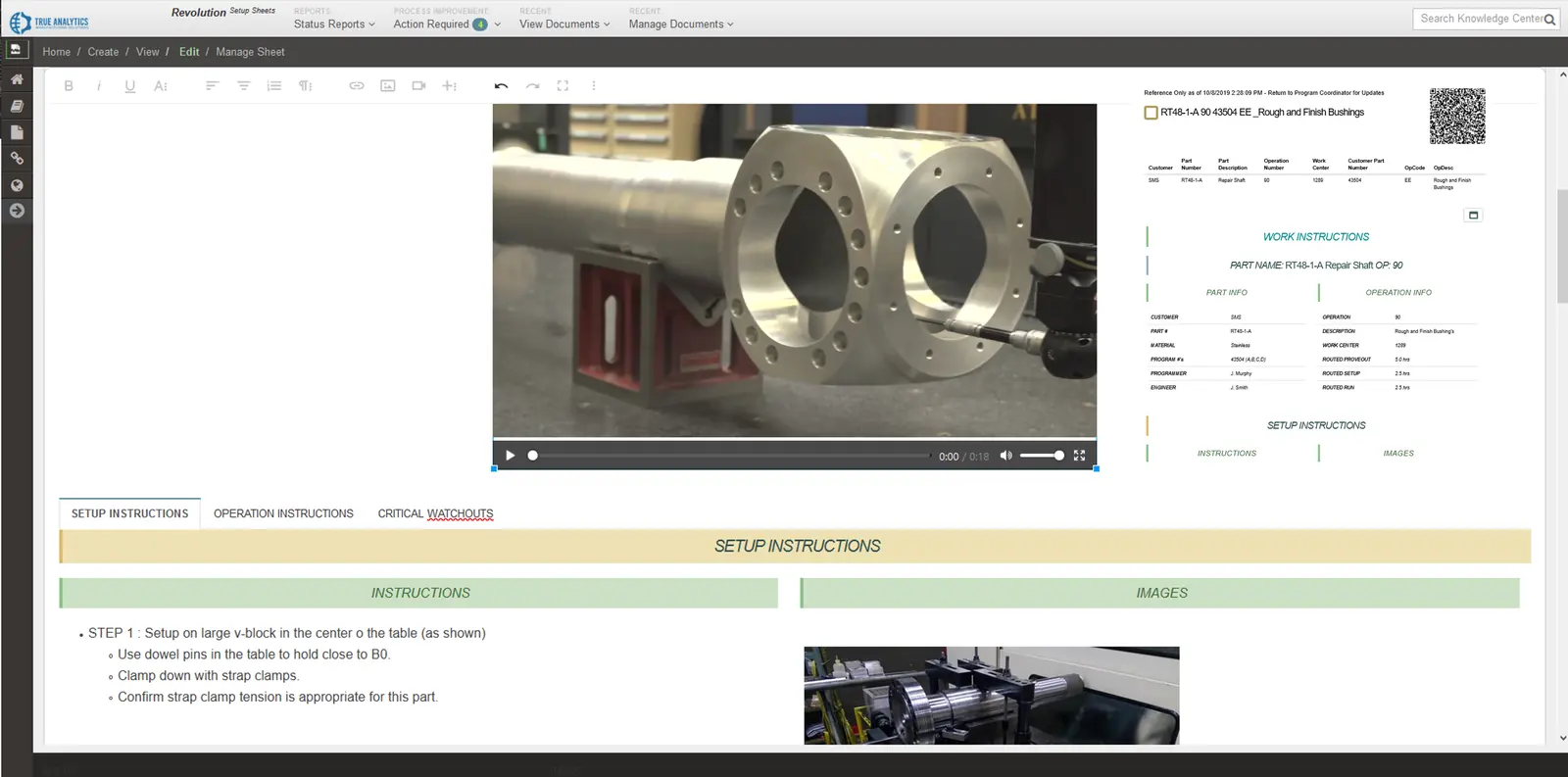
Overview
A governed workflow product for creating, revising, approving, and using digital manufacturing instructions and process documentation.
Replace inconsistent paper instructions with controlled digital process information at the point of work.
How it works
Features / architecture
Create and maintain controlled instructions at the point of work.
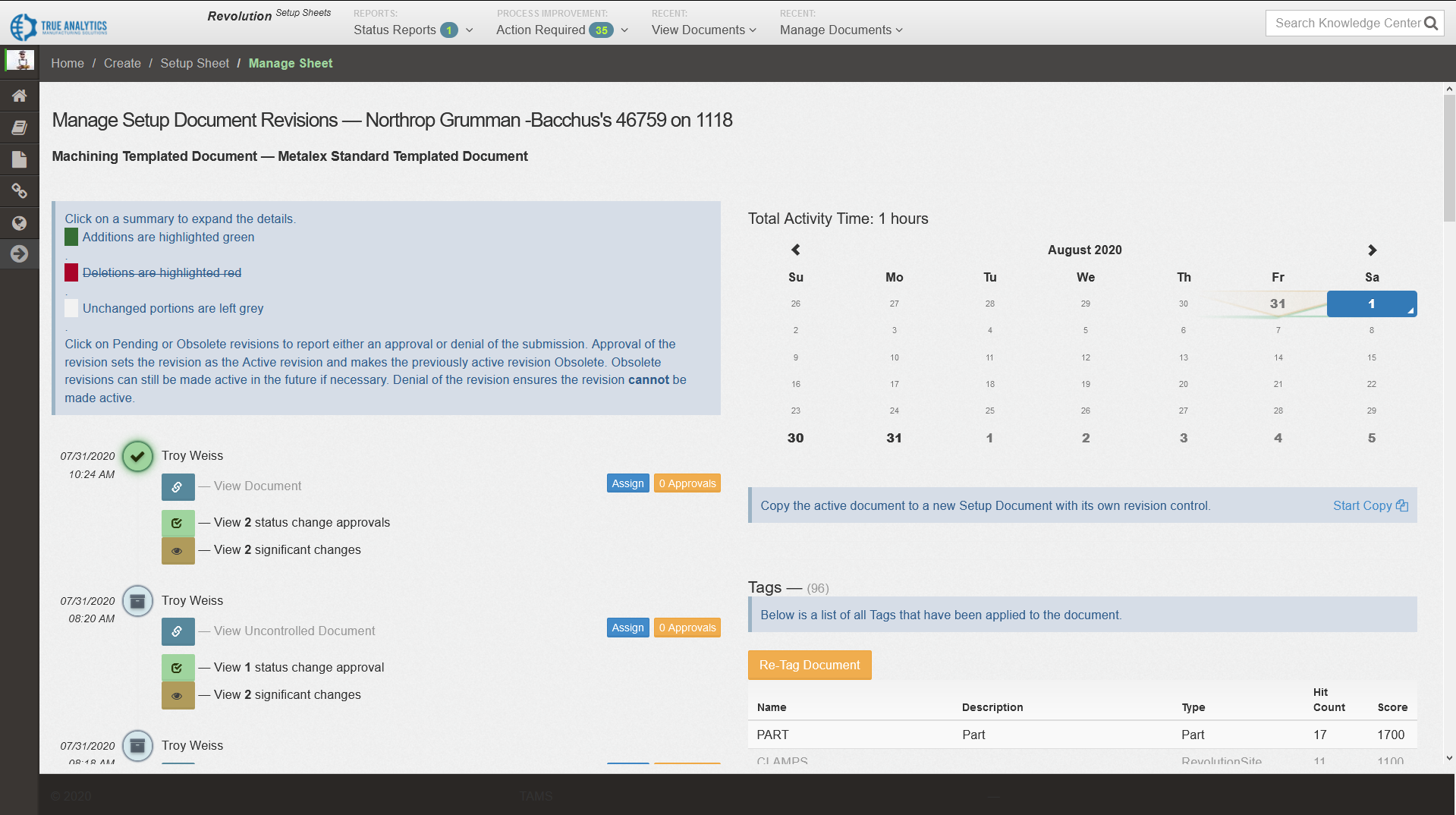
Control revisions and approvals while capturing traceable operator feedback.
Teams use Digital Process Documentation to replace inconsistent paper workflows with structured digital instructions tied to revision history, approvals, and continuous improvement feedback.
| Instruction Control | Publish consistent process steps across operators, machines, and product families. |
|---|---|
| Revision Management | Track every change with audit history to support compliance requirements. |
| Search & Access | Find the latest approved documentation quickly from the line or engineering station. |
| System Integration | Connect documentation status with operational and quality workflows. |
Digital Process Documentation can be extended to connect with third-party systems when your workflow requires tooling, quality, or ERP context directly inside process instructions.
| Zoller TMS Integration | Pull tooling setup sheets directly into the relevant process step for operators. |
|---|---|
| Instruction Context | Show tooling, inspection, and setup references without leaving the documentation workflow. |
| Custom Connectors | Support targeted integrations to internal systems as process needs evolve. |
| Change Control | Maintain revision traceability while integrating external operational data. |
Specifications
Review technical inputs and outputs, integration details, delivery paths, and qualification facts used to scope the next step.
Start with a product demo; pricing is scoped after requirements review.
Create and maintain controlled instructions at the point of work.
Included
Create and maintain controlled digital manufacturing work instructions.
Needs: Source instructions and assigned content owners
Boundary: Content quality depends on the source instructions and assigned owners.
Control revisions and approvals while capturing traceable operator feedback.
Included
Manage revisions, approvals, traceability, and operator feedback workflows.
Needs: Defined approval steps and operator needs
Boundary: Deployment does not create machine connectivity or MTConnect data.
It manages controlled manufacturing instructions and process documents, including the information operators need at the point of work.
A deployment requires the current instructions, revision ownership, approval steps, operator needs, and the intended point-of-work delivery approach.
The product organizes approved digital process information through governed revision, approval, traceability, and feedback workflows defined during implementation.
Integration with ERP, MES, quality, tooling, asset, or other systems can be evaluated when the required source, interface, ownership, and workflow are available.
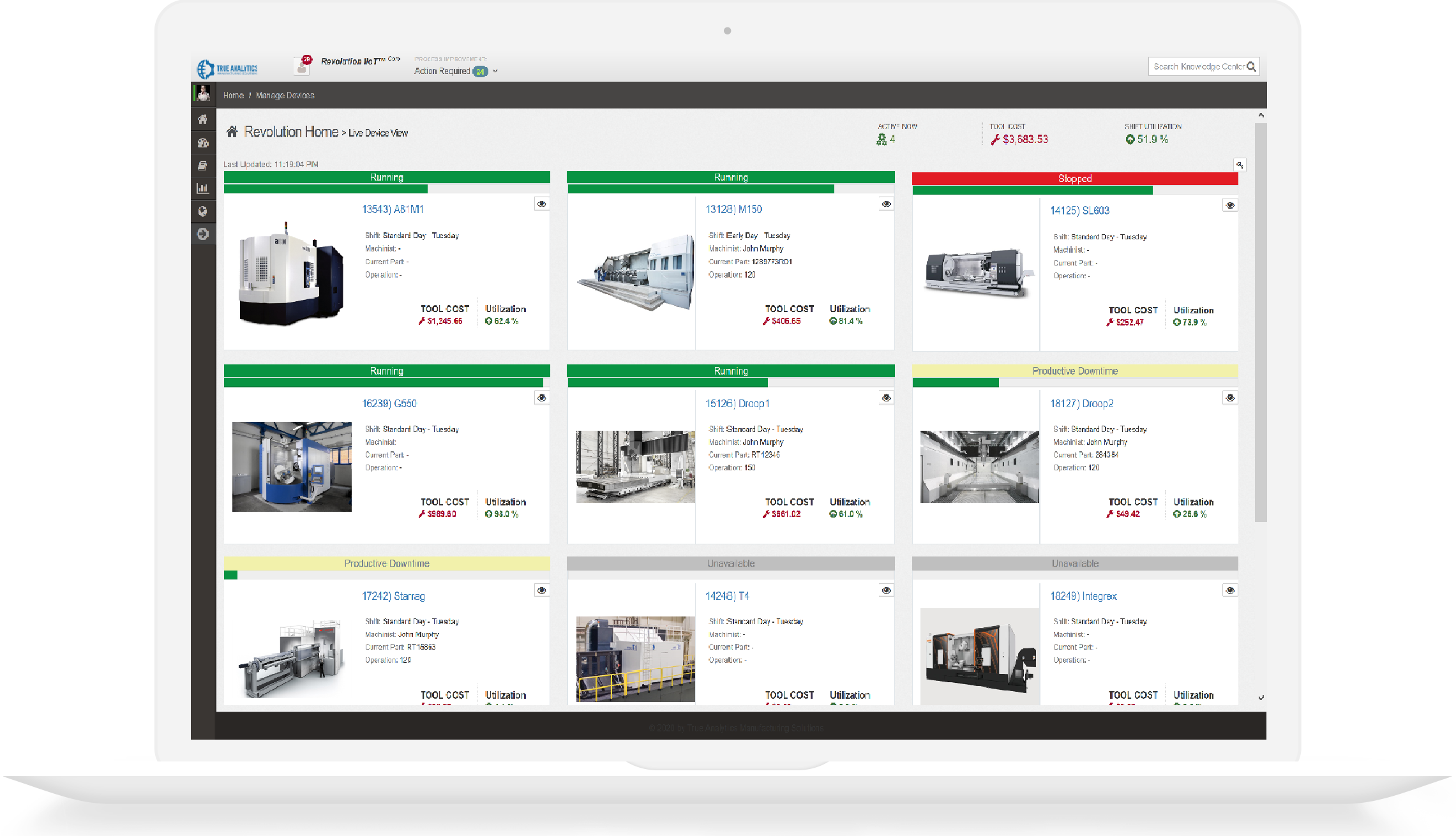
Digital Process Documentation focuses on governed instructions and process documents. RevolutionCore organizes broader connected manufacturing information, dashboards, reporting, and operational workflows.
HTTPS, antiforgery validation, input limits, and reCAPTCHA protect public form submissions. Review the safeguards.
Inspect the MTConnect adapter catalog, online validator, and implementation guides directly.
Call +1 (317) 907-8897 or email sales@tams.ai for sales, support, privacy, or security questions.