Inputs
- Connected machine signals
- Process, quality, part, schedule, or asset information required by the selected workflow
- Defined reporting and workflow goals

Manufacturing Intelligence and Improvement Platform
Give operations, quality, and engineering teams a common view of connected manufacturing information.
Start with a product demo; pricing is scoped after requirements review.
Overview
A manufacturing information platform that brings machine, process, quality, and routing context into shared operational workflows.
Give operations, quality, and engineering teams a common view of connected manufacturing information.
How it works
Features / architecture
Bring available manufacturing context into shared dashboards and reports.
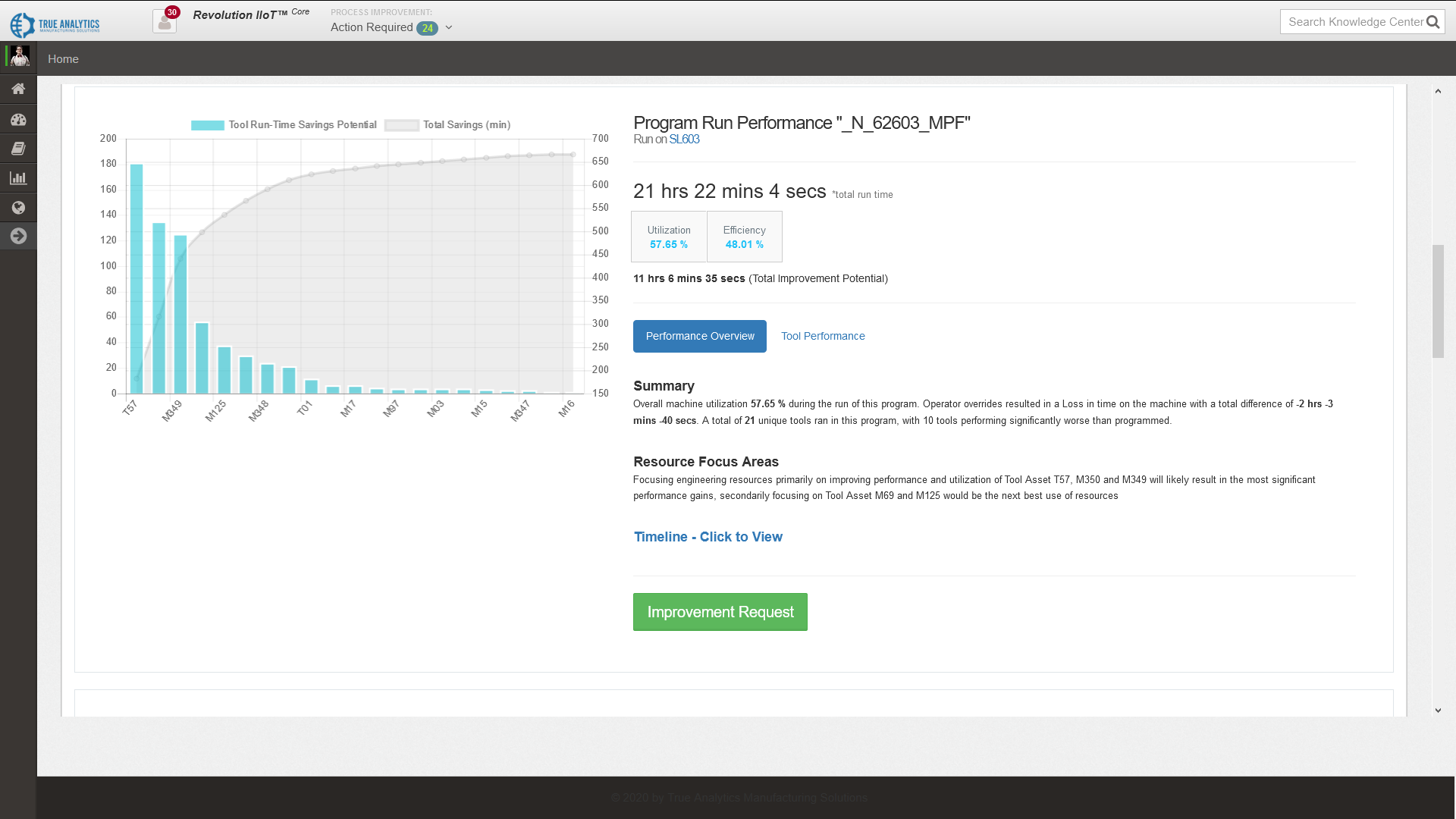
Review collected history to identify patterns and improvement opportunities.
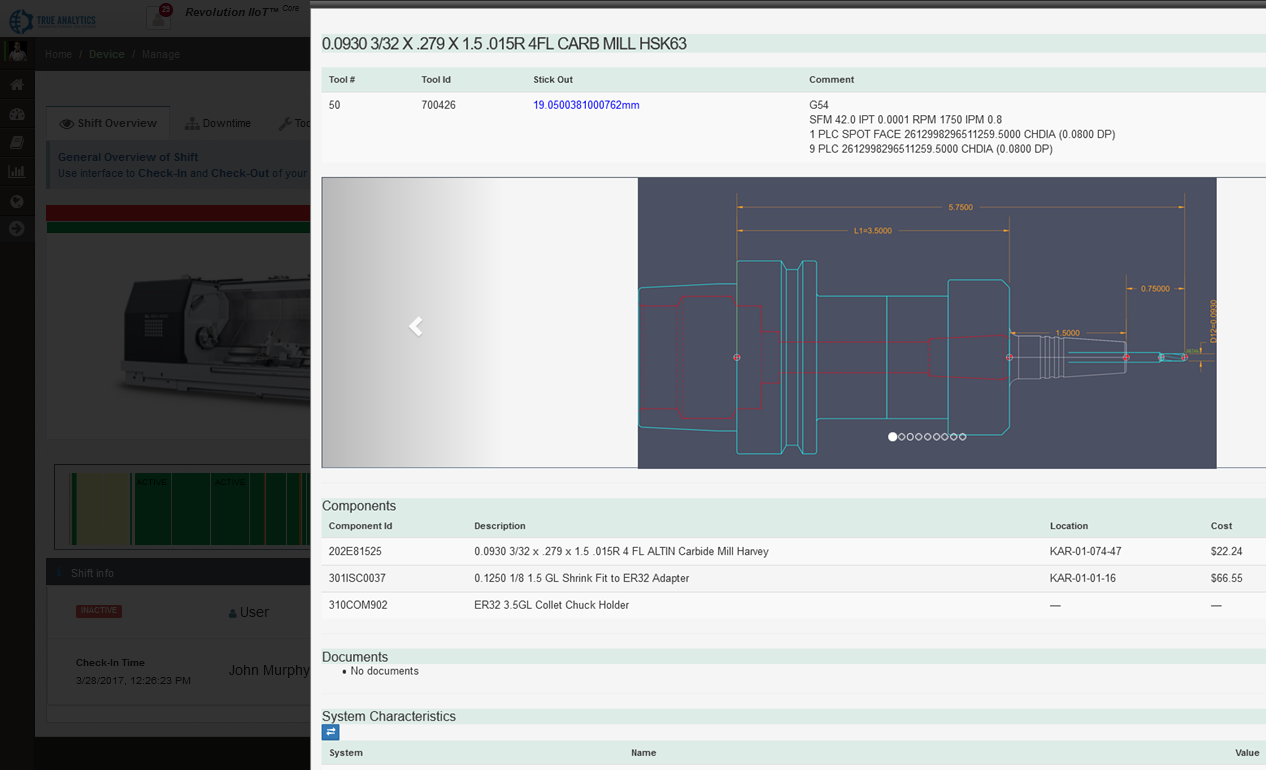
Track tools and other assets through optional or scoped integration paths.
Report available OEE inputs without overstating incomplete calculations.
Report approved source observations without presenting a native energy-management package.
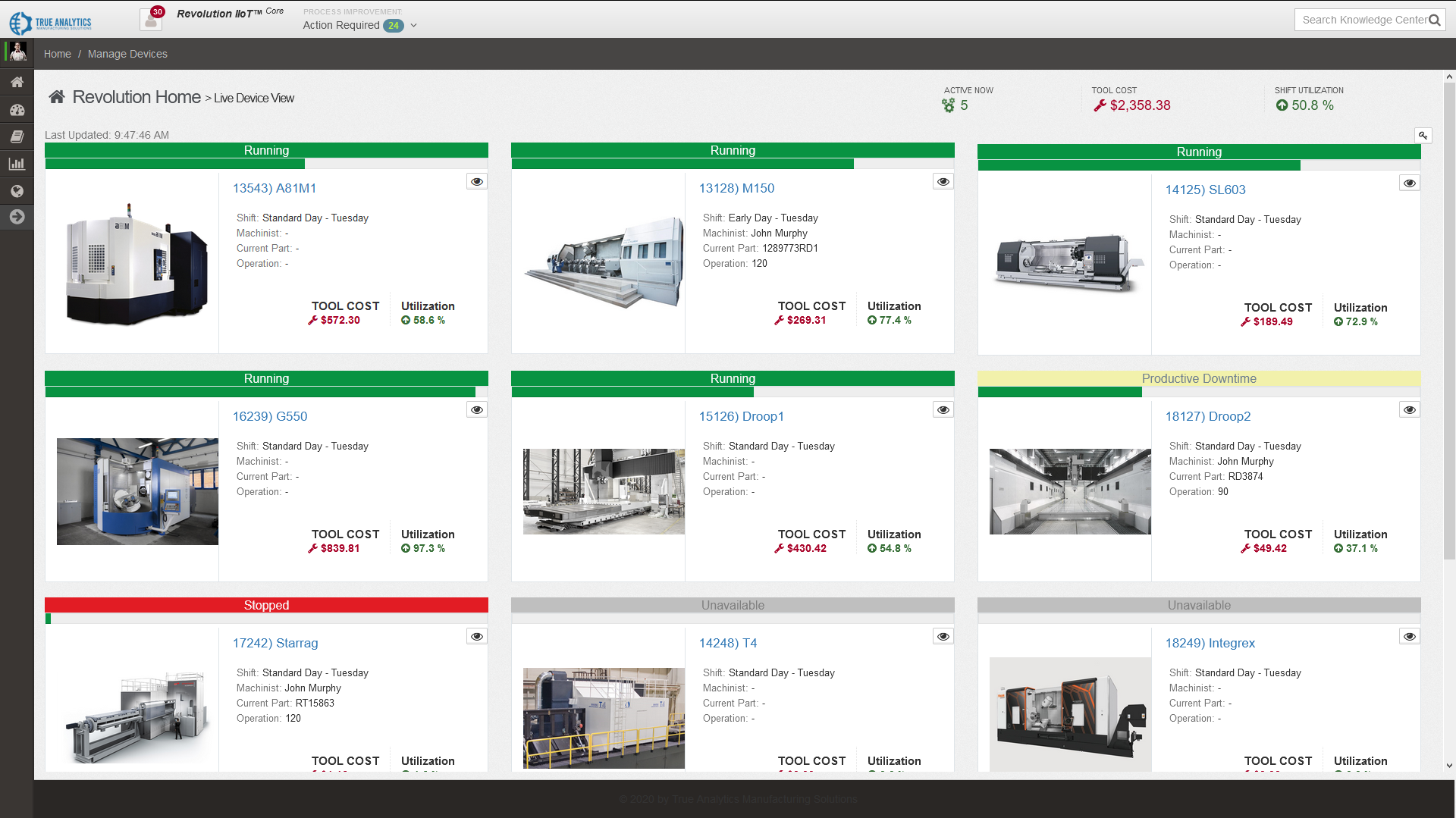
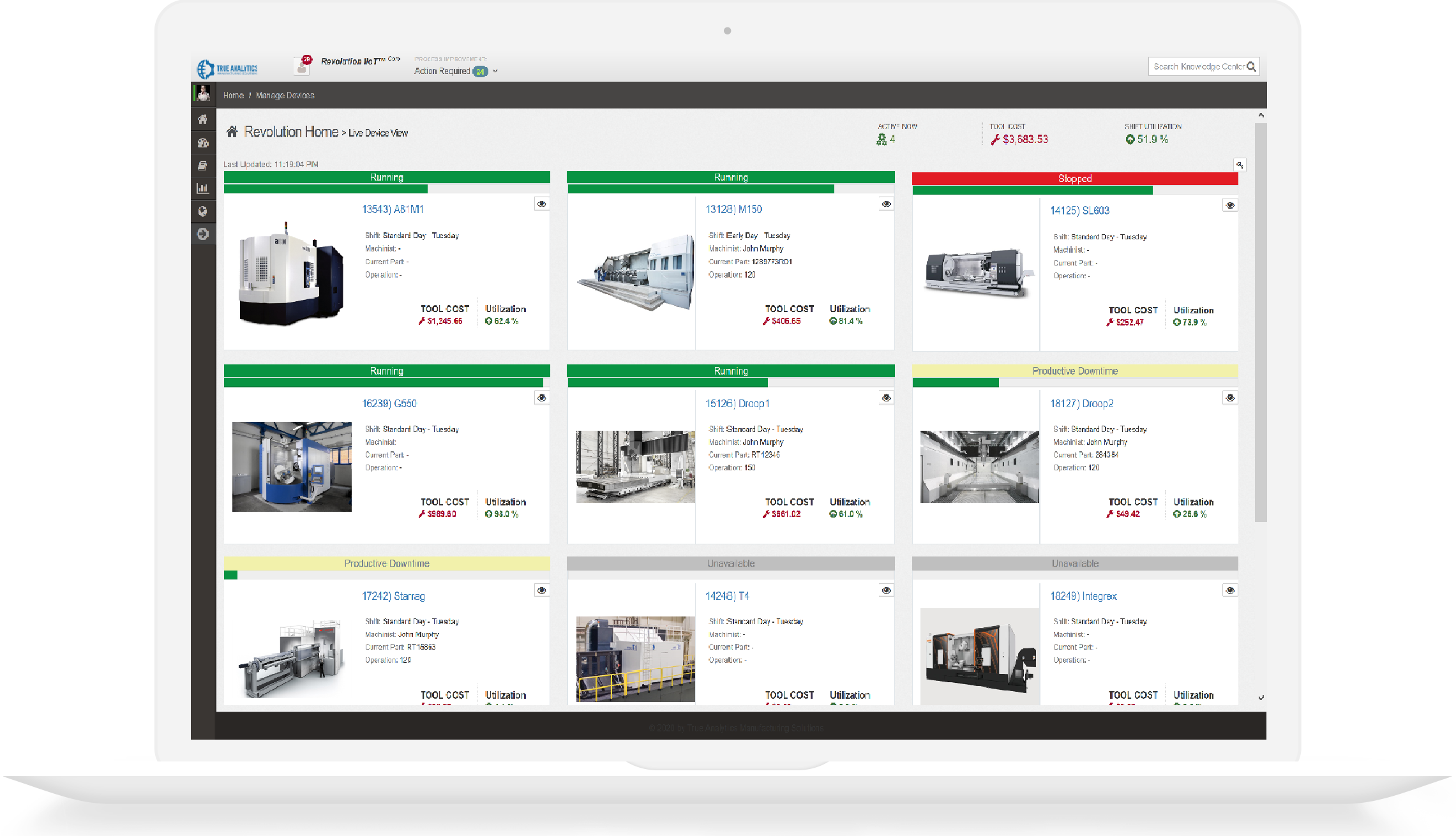
Monitor machine status, throughput, and work-center context in a live dashboard built for production cadence and daily standups.
Open full-size image 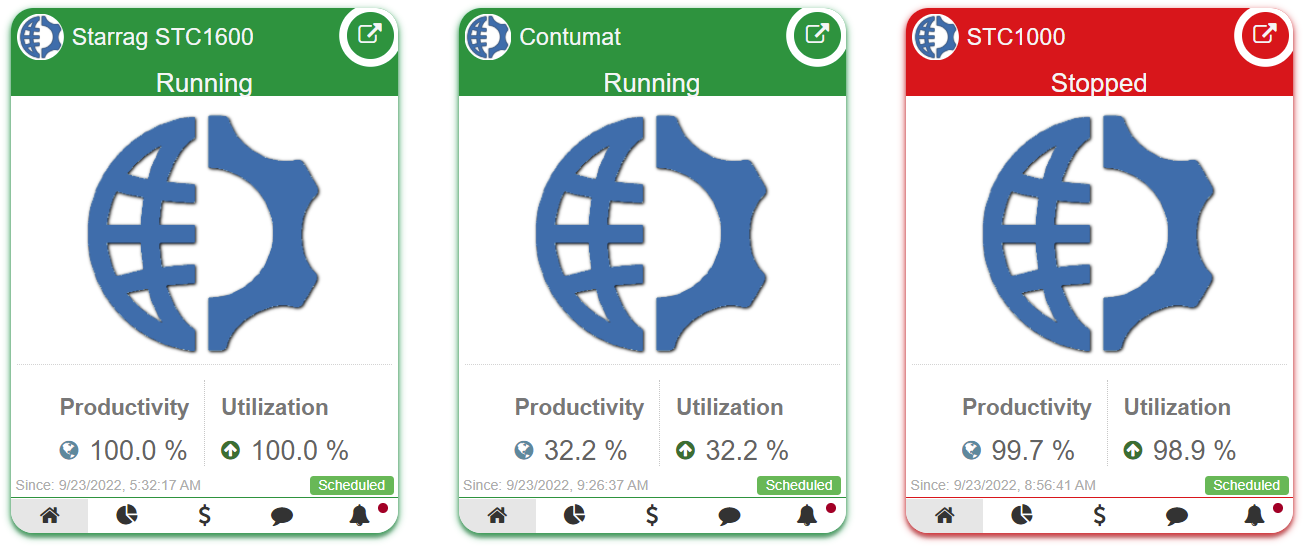 Open full-size image
  Open full-size image
  Open full-size image
 | Utilization | Understand run/idle patterns by machine, line, and shift. |
|---|---|
| Efficiency & part tracking | Review efficiency and part observations when the connected sources provide the required context. |
| Downtime | Classify and quantify interruptions for targeted corrective action. |
| Operational Trends | Compare historical windows to verify process changes over time. |
These measures can contribute to an OEE workflow, but RevolutionCore does not label incomplete inputs as complete OEE. A scoped integration may need ERP or MES schedule, part, quality, availability, and performance context.
Build ad-hoc views that merge available machine, process, quality, part, asset, or power observations for investigations and continuous-improvement initiatives.
RevolutionCore supports cross-functional workflows where process engineers, production leads, and quality teams act on shared context.
Specifications
Review technical inputs and outputs, integration details, delivery paths, and qualification facts used to scope the next step.
Start with a product demo; pricing is scoped after requirements review.
Bring available manufacturing context into shared dashboards and reports.
Included
Configure shared dashboards, reports, and collaborative manufacturing workflows.
Needs: Defined users and reporting goals
Boundary: Displayed coverage depends on connected sources.
Requires source data
Combine available machine, process, quality, routing, schedule, and part context in operational views.
Needs: Accessible and mapped data sources
Boundary: RevolutionCore does not create unavailable source data.
Review collected history to identify patterns and improvement opportunities.
Historical analysis
Analyze historical utilization, downtime, efficiency, part, and process trends to support improvement work.
Needs: Collected historical observations and the required operational context
Boundary: This is historical analysis, not proactive predictive maintenance.
Track tools and other assets through optional or scoped integration paths.
Optional plugin
Provide Tool Tracking through available RevolutionCore plugins.
Needs: Available tool identifiers and configured plugin
Boundary: Tool coverage depends on connected data.
Custom integration
Track tools, pallets, parts, fixtures, or other assets through scoped custom integration.
Needs: Available identifiers, lifecycle rules, and source interfaces
Boundary: General asset tracking is not a universal native module.
Report available OEE inputs without overstating incomplete calculations.
Requires source data
Report available utilization, efficiency, and part-tracking inputs that contribute to an OEE calculation.
Needs: Required machine and part observations
Boundary: Incomplete inputs are not labeled as complete OEE.
Custom integration
Support a scoped full OEE integration when ERP, MES, schedule, availability, performance, quality, and part context are available.
Needs: Accessible ERP or MES context and agreed OEE definitions
Boundary: Feasibility and calculation boundaries are confirmed during integration design.
Report approved source observations without presenting a native energy-management package.
Requires source data
Collect and report approved machine power or energy observations when the connected source supplies them.
Needs: A source that supplies reviewed power or energy observations
Boundary: RevolutionCore is not a native energy-management product.
Custom integration
Add machine power monitoring through scoped Adapter or system integration work.
Needs: Qualified machine, meter, Adapter, or system interface
Boundary: Scope depends on available source data.
RevolutionCore can use connected machine, process, quality, routing, and operational information that is available through the scoped integrations.
It organizes selected manufacturing information into shared dashboards, standard or dynamic reporting, and operational workflows for operations, quality, and engineering teams.
Not by itself. Required machine, process, quality, ERP, MES, or other source integrations must be available or separately scoped.
Custom dashboards, reports, data sources, and workflow extensions can be evaluated during product scoping when the required information and operating requirements are defined.
RevolutionCore organizes broader connected manufacturing information and operational workflows. Digital Process Documentation focuses on governed instructions and process documents at the point of work.
HTTPS, antiforgery validation, input limits, and reCAPTCHA protect public form submissions. Review the safeguards.
Inspect the MTConnect adapter catalog, online validator, and implementation guides directly.
Call +1 (317) 907-8897 or email sales@tams.ai for sales, support, privacy, or security questions.