Protected Website Forms
HTTPS, antiforgery validation, input limits, and reCAPTCHA protect public form submissions. Review the safeguards.

.mep is a proposed portable MTConnect exchange package. This free extension provides a way to generate one using the industry's Reference Agent.
.mep is currently a proposed/experimental exchange format and is not an approved MTConnect specification. This package is not an official feature of the MTConnect Institute Reference Agent.
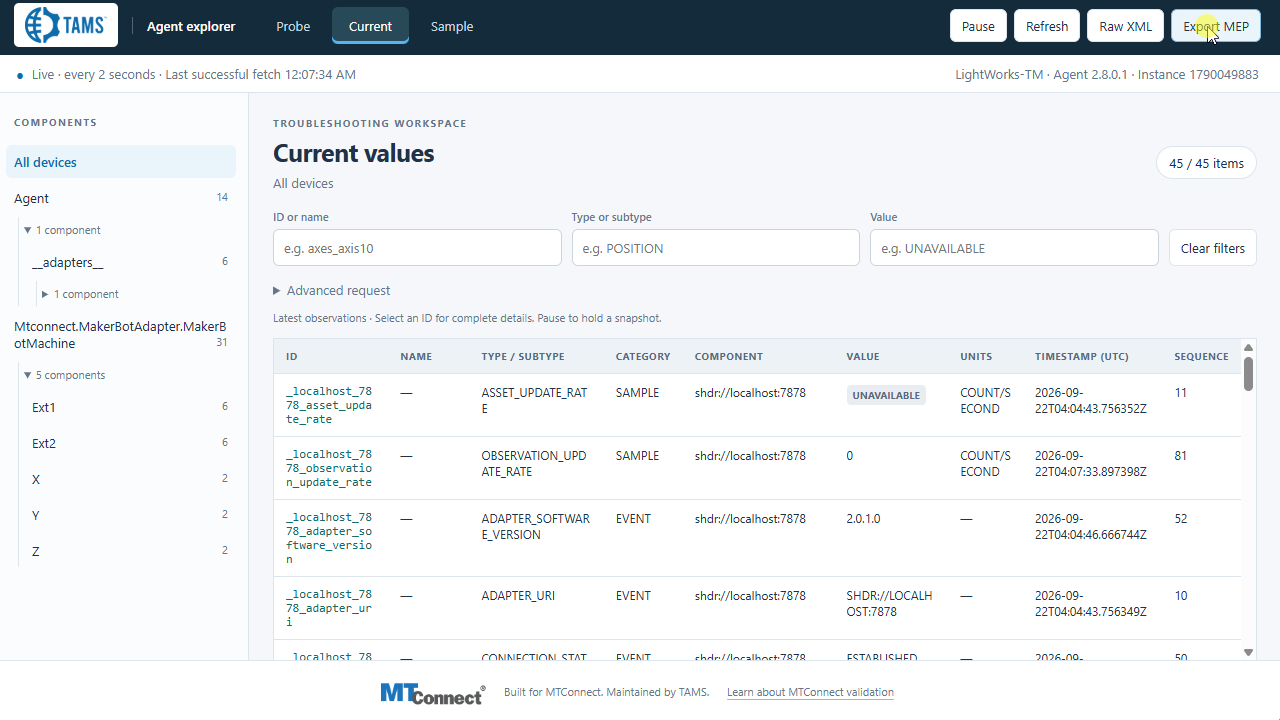
See the progression from raw MTConnect XML through legacy and open-source styles to the TAMS interface, with device navigation, filters, and MEP export.
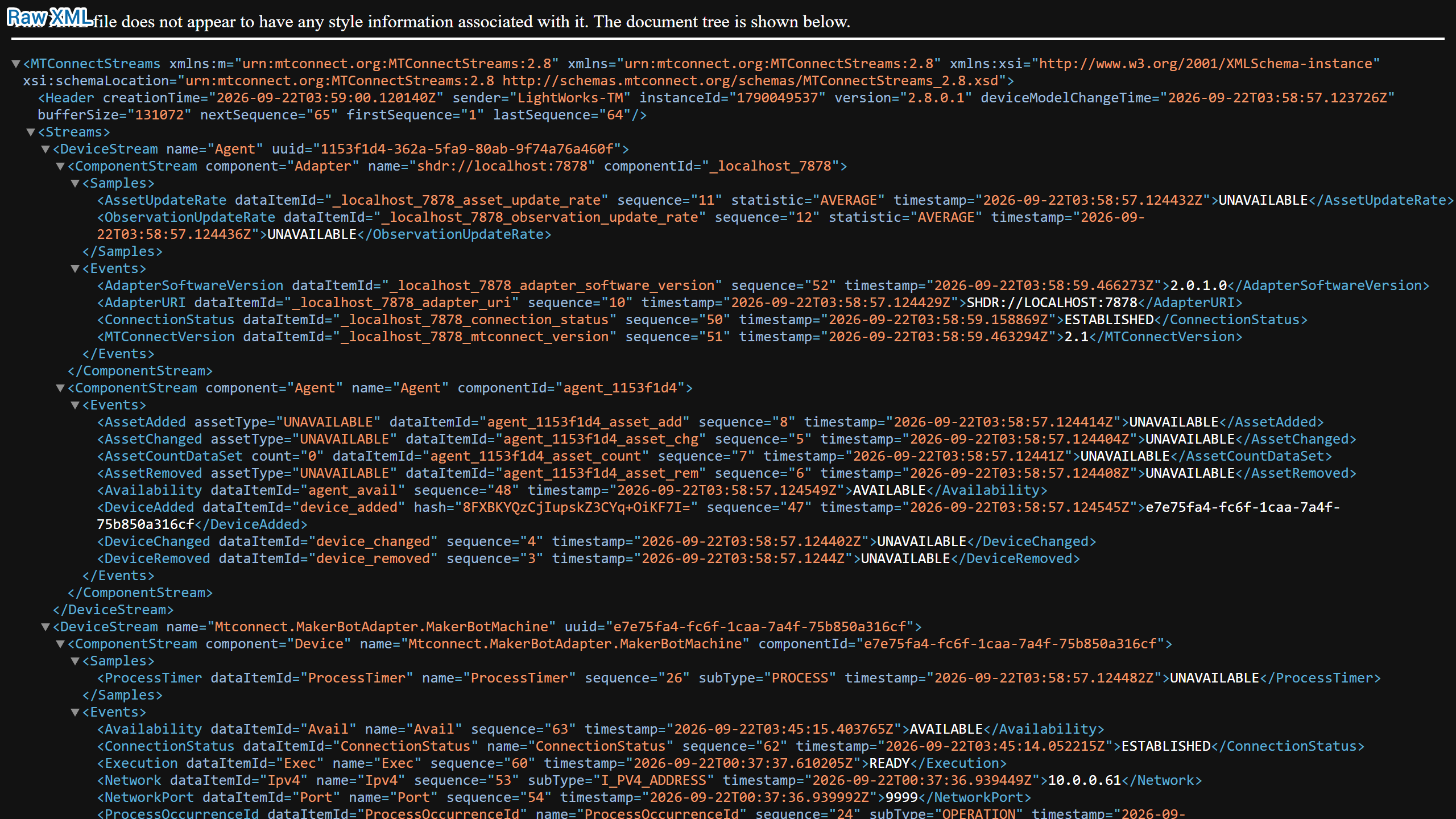
Raw XML, legacy styles, open-source styles, and TAMS v0.1.1 are shown in sequence. The TAMS view includes Probe, Current, Sample, and Export MEP controls.
With the TAMS extension installed on your Reference Agent, export a .mep file and open it in MEP Explorer.
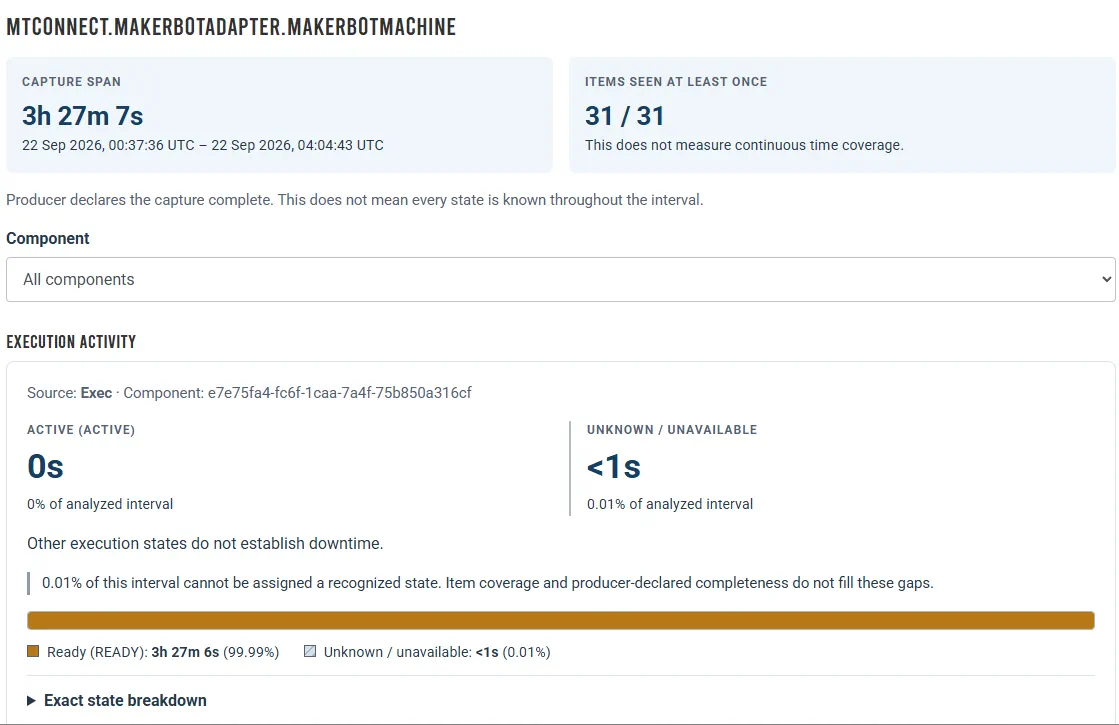
The recording follows Export MEP in the Agent, then opens the package in MEP Explorer to inspect capture coverage, execution states, and the exact state breakdown. Processing time varies by package.
Try MEP Explorer with an approved example or your own capture.
Capture span, observed items, and state durations answer different questions. MEP Explorer keeps those distinctions visible.
Add the TAMS style extension to your Reference Agent to export an experimental MEP package. Use it to explore manufacturing data, share a capture, or test an MTConnect implementation.
The ZIP includes the style files, installation instructions, license notices, and synthetic MEP examples.
The exporter does not collect TAMS dashboard configuration or Agent configuration files. Agent responses may themselves contain sensitive values; review the package before sharing.
The extension constructs the package in your browser using responses from your Agent, without sending Agent data to TAMS. If you choose to upload the package to MEP Explorer, it is sent to the Explorer analysis service for processing.
styles folder together into the Agent's served styles folder. Do not deploy the examples or replace machine settings.README.md for the styles mapping, image MIME types, and configuration paths. Configuration changes may require a coordinated restart.After exporting, open your package in MEP Explorer.
Release 0.1.1 · ZIP package
Tested with MTConnect Reference Agent v2.8.0.1 on Ubuntu 22.04, running on an OnLogic FR201. Other configurations have not been verified by this test.
Complete the short form and your download begins immediately after verification and successful submission.
HTTPS, antiforgery validation, input limits, and reCAPTCHA protect public form submissions. Review the safeguards.
Inspect the MTConnect adapter catalog, online validator, and implementation guides directly.
Call +1 (317) 907-8897 or email sales@tams.ai for sales, support, privacy, or security questions.